
logo

CRM – From First Contact to Loyal Customer

Manage every step of your customer journey in one place
Downloadthe product deck.
CRM – From First Contact to Loyal Customer
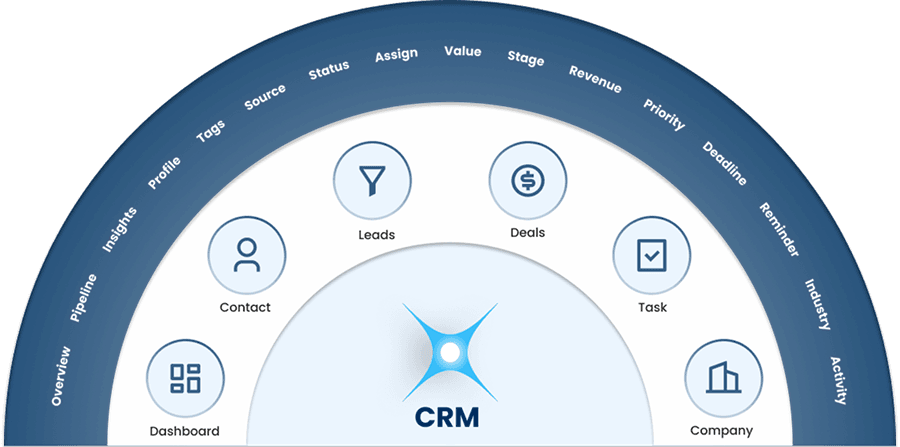
Core Features of CRM
Dashboard
DashboardManage customers smarter
Unify your leads, deals, and customer interactions in a single dashboard. Track pipeline movement and performance as it happens.
Contacts
ContactsYour complete contact list
Organize all your contacts in a single hub. Quickly access profiles, track interactions, and stay connected with the right people.
Leads
LeadsTrack potential customers
Bring all your leads into one organized pipeline. Track their journey, engagement, and readiness to convert..
Deals
DealsVerified and Enriched
Organize and track deals across your sales pipeline. Stay updated on progress and close opportunities faster.
Task
TaskFocused on Closing
Plan, assign, and manage tasks across your team with ease. Stay on top of priorities, deadlines, and important follow-ups.
Company
CompanyExtend your Salesforce
Manage all company accounts in one place. Access key details, track associated contacts, and monitor business relationships easily.

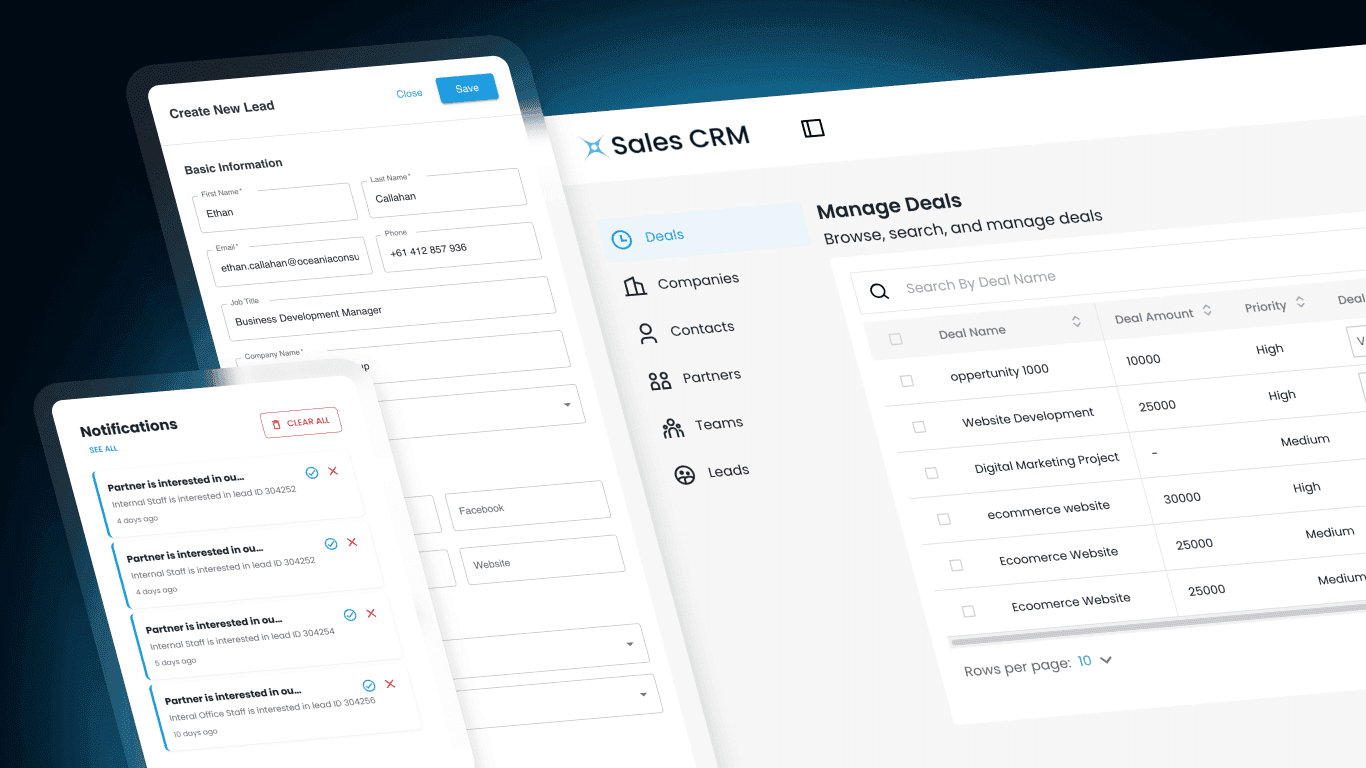
Key Benefits:

  • Dashboard: See your entire sales pipeline in one clear view.

  • Contacts: Keep every customer interaction organized and accessible.

  • Leads: Turn prospects into customers with structured lead tracking.

  • Deals: Manage opportunities and close deals faster.

  • Task: Never miss a follow-up or important sales activity.

  • Company: Manage all business accounts and relationships in one place
Key Benefits:

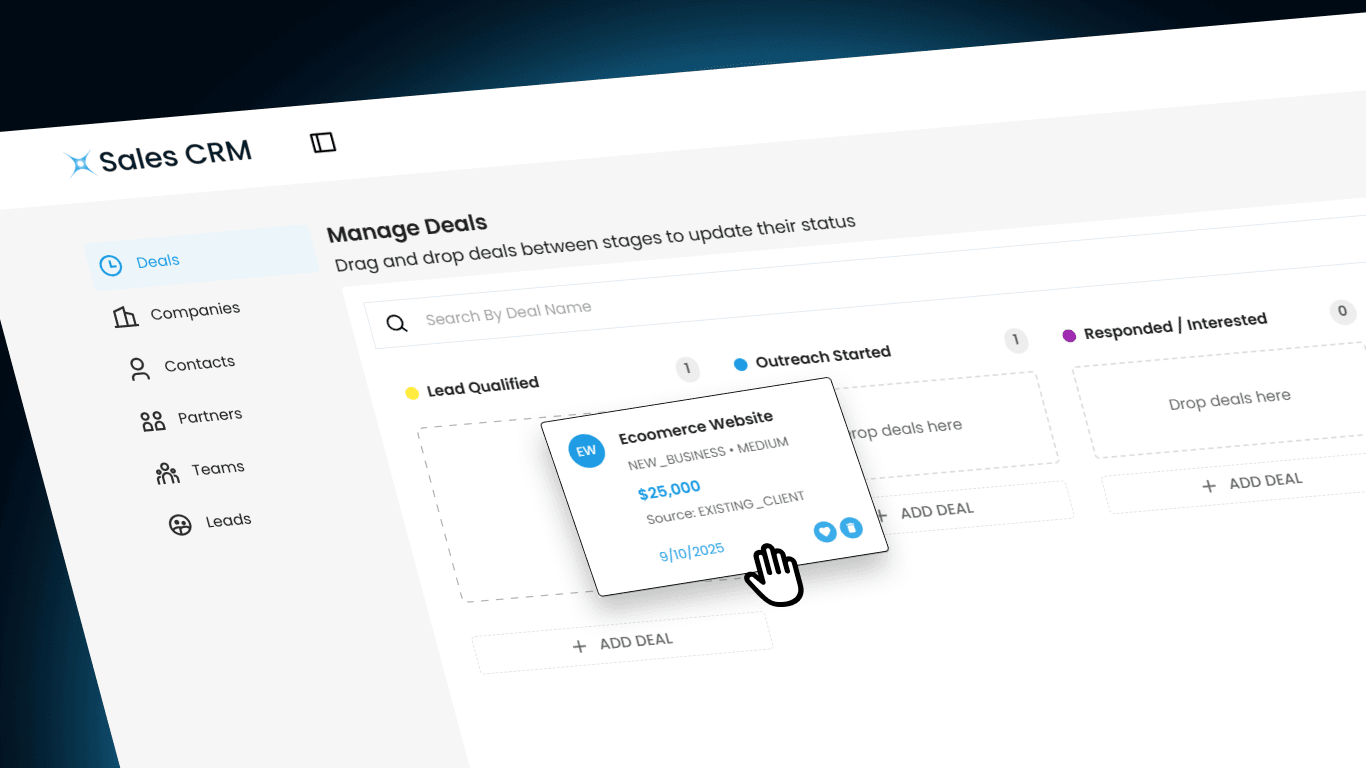
How It Works:

  • Dashboard: Consolidates leads, deals, tasks, and activities into a real-time unified view.

  • Contacts: Stores profiles, communication history, and engagement data in a centralized contact database.

  • Leads: Captures and organizes leads while tracking their journey through the sales pipeline.

  • Deals: Tracks deal values, stages, and activities across the sales lifecycle.

  • Task: Allows teams to create, assign, and track tasks with reminders and deadlines.

  • Company: Links companies with contacts, deals, and activities for complete account visibility.
How It Works:

Why It Matters:

  • Dashboard: Enables faster decision-making with clear pipeline visibility.

  • Contacts: Helps teams understand customers better and personalize interactions.

  • Leads: Improves conversion rates through organized lead management.

  • Deals: Provides revenue visibility and helps prioritize high-value opportunities.

  • Task: Ensures accountability and keeps sales follow-ups on track.

  • Company: Strengthens long-term business relationships with full account context.

Why It Matters:

Frequently Asked Question

Client Management CRM software tool helps businesses manage customer interactions, leads, deals, and tasks in one centralized platform. It improves sales tracking, team collaboration, and customer relationships.
The CRM includes several core features such as Dashboard, Contacts, Leads, Deals, Tasks, and Company management to help businesses manage their entire sales pipeline efficiently.
Client Management CRM software tool dashboard provides a real-time overview of leads, deals, and tasks, allowing sales teams to monitor pipeline progress, track performance, and make faster decisions.
Yes. Client Management CRM software tool allows you to store and organize all customer contacts in a centralized database. You can easily access profiles, communication history, and engagement details.
The CRM captures and organizes potential customers in a structured pipeline, allowing teams to track lead progress, engagement, and readiness to convert into customers through this Client Management CRM software tool.
The deals feature helps teams track deal stages, values, and activities throughout the sales process so that opportunities can be prioritized and closed faster with the help of Client Management CRM software tool.
Yes. The task management feature allows teams to create, assign, and track tasks with deadlines and reminders to ensure important activities and follow-ups are completed on time with the help of Polluxa Client Management CRM software tool.
The company feature allows businesses to manage all company accounts in one place and link them with contacts, deals, and activities for a complete account overview with the help of Client Management CRM software tool.
Yes. The CRM is designed to support businesses of all sizes by helping them organize sales processes, improve productivity, and strengthen customer relationships.
You can get started by downloading the app, requesting access, or contacting the team through the Get Agent CRM or Contact Us options on the website with the help of Client Management CRM software tool.